
From November 30 to December 4, 2026, the Gallus Print Academy will open its doors for the first time and host its inaugural Print Performance Class Basic, titled “Curtain Up: Mastering the Print.”
For one week, everything revolves around flexographic, screen, and digital printing. Not in theory. Not from a manual. But right where printing actually happens - at the press, with our Gallus printing experts by your side.
You’ll work on the printing processes that matter in your day-to-day work and, step by step, develop the intuition and know-how that distinguish good printing results from outstanding ones. This training is designed for printers who don’t want to stand still. They know that every printing unit has its own tips, tricks, and secrets—and they want to take exactly these details back with them to produce faster, cleaner, and with greater confidence.
You can find the complete program, including all modules, in the detailed event schedule.
To ensure that every participant gets the most out of the course, we intentionally limit the group size to a maximum of 6 people.
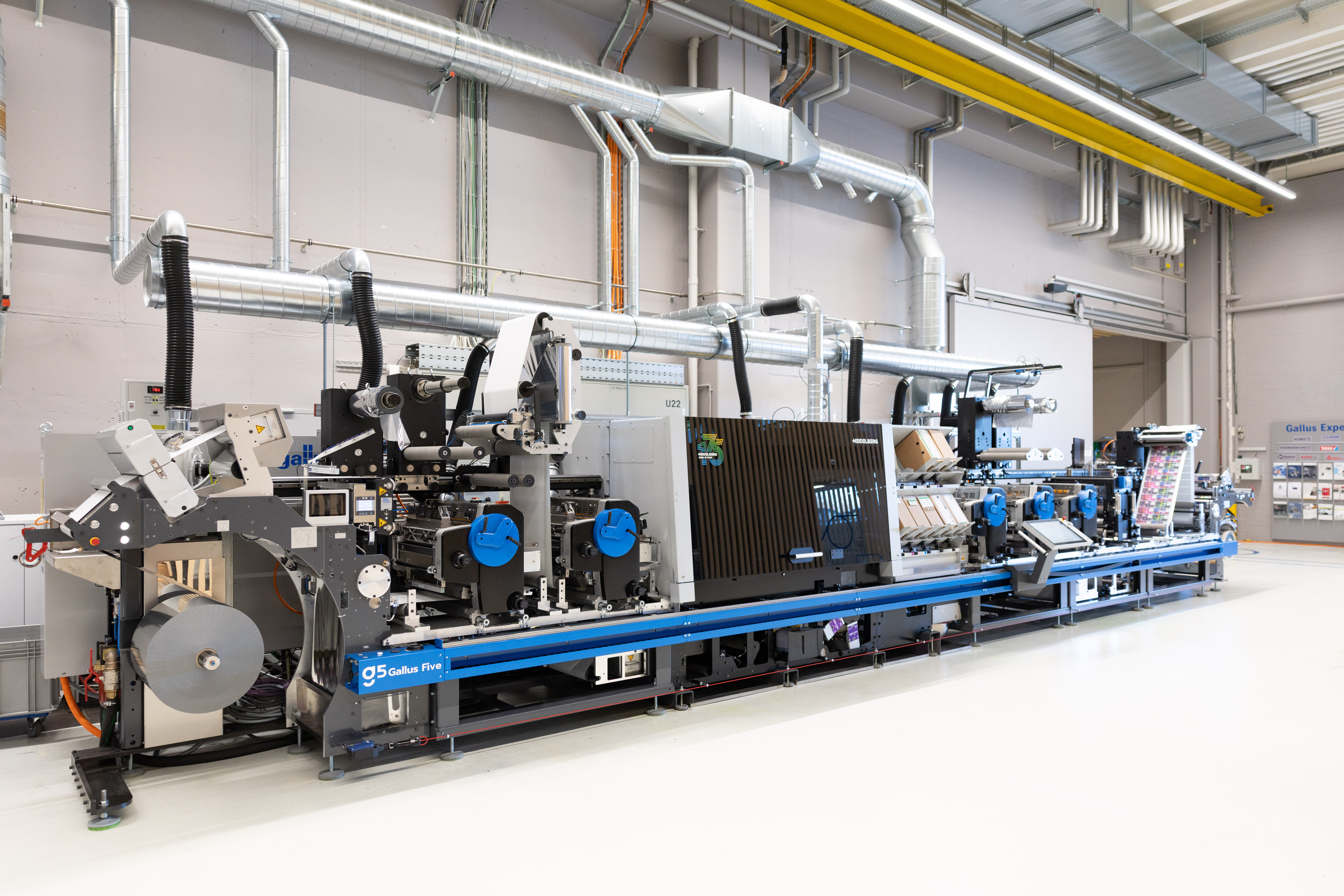
Date: November 30 – December 4, 2026*
Location: Gallus Experience Center, St. Gallen / Gallus Screeny, Herisau
Duration: 5 days, full-day
Language: English
Registration fee: €3,100 per person (includes coffee breaks, croissants, lunch, and beverages)
Registration deadline: October 30, 2026
Please note that your participation will not be confirmed until we have successfully reviewed your application and provided confirmation.
*The course will only be held if there are at least 4 participants.
You can easily register using the form below.
Please note that you are responsible for arranging your own travel to and from the event as well as your hotel reservation—however, we’ve made arrangements for you: At our partner hotel in St. Gallen, you’ll enjoy exclusive special rates for participants in the Print Performance Class.
As soon as we receive your registration, you will receive a confirmation with all further information about the program, as well as a booking code for our partner hotel.
We look forward to welcoming you in St. Gallen!
Day 1 Schedule:
| Module | Description | Duration of training |
| Welcome, Safety Briefing | Login with the Gallus Company Guide, Welcome | 1 h |
| Introduction to Products | Presentation of the product portfolio at the Gallus Experience Center:
| 2 h |
| Base Machine | Safety Briefing Maintenance Lubrication Basic Machine Training Remote Support Track Course | 4 h |
Day 2 Agenda:
| Module | Description | Duration of training |
| Fundamentals of Flexographic Printing (Theory) | How Flexographic Printing Works Reverse-side printing with direction reversal Theory: Anilox Roll, Tape, Doctor Blade Theory of Printing Plate Production: Calculating the Warpage Factor Prepress Specifications (Printing Marks, Registration Strips) Print Plate Assembly | 2 h |
| Setup / Alignment of the flexographic printing unit | Loading/Assembling Chamber Squeegees Loading the printing unit, anilox roller, Ink chamber, printing cylinder Basic Settings for the Printer Input at the control panel (HMI) Printing adjustments (squeegee, anilox rolls, printing cylinders) Proof Kiss Print optimal print registration Screen roller impression with reference color Working with the Paint Pump Equip the printing unit Cleaning the printing plate, printing cylinder, anilox roller, and ink chamber Cleaning of the printing unit, including the counterpressure cylinder, Theory: Identifying Printing Errors, Causes, and Troubleshooting | 6 h |
Day 3 Agenda:
| Module | Description | Duration of training |
| Basics of Screen Printing | How the Screen Printing Unit Works Theory: Screens and Squeegees Screen Assembly Check the squeegee in the guide; sand and align if necessary | 4 h |
| Setting Up the Screen Printing Unit / Test Print / Preparing the Screen Printing Unit | Insert the screen into the printing unit and secure it Loading the printing unit (pump, squeegee, hoses) Basic Settings for the Printer Input via the control panel (HMI) From Park Position to Print Position Adjust the distance between the screen and the backpressure cylinder Insert the squeegee with or without level control Working with the Paint Pump Fill the screen with ink and let it rotate; set up the printing unit Cleaning of the screen, squeegee, and hoses Cleaning of the printing unit, including the counterpressure cylinder Theory: Identifying Printing Errors, Causes, and Troubleshooting | 4 h |
Day 4 Schedule:
| Module | Description | Duration of training |
| Fundamentals of Digital Printing / Prinect / Production / Compensation / Substrate Qualification / Quality Check / Maintenance / Error Messages | How Inkjet Printing Works Web Path Digital Printing Unit (DPU) Inspection of Bonded Joints Inputs on the control panel (HMI) Ink Cartridge Replacement (BiB Exchange) Ink Supply - Set Alarm Time Printhead Cleaning Programs, Create Output Conditions (Substrate Qualification) Prinect Cockpit - Create Templates, Manage Sequences, Color Management Determining Pinning Values and UV Output Working with Wizard Substrate recalibration, detecting and compensating for clogged nozzles Compensate for missing nozzles upon request - HRNT, DUC (Density Unevenness) Compensation MNC Compensation (Compensation for Failed Nozzles) Print jobs for substrate qualification, weekly quality test prints and evaluation, printhead cleaning programs, and visual inspection Cleaning the Pinning Strip and Glasses Cleaning Agents and Additives Theory: Identifying Printing Errors, Causes, and Troubleshooting | 8 h |
Day 5:
| Module | Description | Duration of training |
| Application Training | Digital Printing Hybrid Printing Printing with Format Length Correction Color Matching Register Control Insetting | 6 h |
| Q&A / Course Evaluation | 2 h |